Circuit Runner 3D: Traffic Dash

Mountainfall Studios
2026-07-21
Driving Racing Speed

Reviews

Circuit Runner 3D delivers a focused racing experience that emphasizes traffic navigation over pure speed. The varied environments keep each race feeling fresh, and the car handling differences encourage experimentation. The split-screen mode is a standout feature, allowing two players to compete on the same machine without online complications. Controls are responsive and easy to learn, making this a solid choice for casual racing fans who want quick sessions or friendly local matches.

About This Game

Track Design & Visual Style

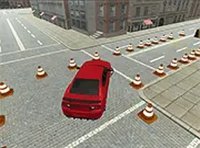
The environments in Circuit Runner 3D are built to test your reflexes and spatial awareness. Mountain routes feature tight corners and elevation changes that force you to brake early and accelerate out of turns. Desert tracks offer long straightaways where maintaining top speed is key, but sudden sand patches can reduce traction. Industrial zones present a mix of narrow corridors and open sections, with obstacles like barriers and construction equipment placed along the road. The 3D graphics give each setting a distinct look, from rocky cliffs to sun-baked asphalt and metallic structures.

Vehicle Selection & Handling

Before each race, you can pick from a small fleet of cars, each tuned for different performance traits. Some vehicles prioritize acceleration, letting you recover quickly after slowing down. Others focus on top speed, which is useful on straight sections but requires careful braking in curves. A third type may offer balanced handling, making it a reliable choice for new players. The differences are noticeable on the road, so experimenting with each car helps you find one that matches your preferred driving style.

Competition Modes

Circuit Runner 3D supports two main ways to play. In single-player mode, you race against the clock, aiming to complete each track in the fastest time possible. This mode is ideal for learning track layouts and improving your lap times. For those who prefer head-to-head action, the two-player split-screen mode lets a friend join on the same computer. Each player uses a separate set of keyboard keys, creating a competitive local experience without needing an internet connection for multiplayer.

Controls & Accessibility

The control scheme is straightforward, using standard keyboard inputs for steering, acceleration, and braking. This simplicity allows new players to start racing immediately without a steep learning curve. A full-screen option is available to remove distractions and increase immersion. The interface displays your speed and position clearly, so you can focus on the road ahead. Regular practice helps you anticipate traffic patterns and obstacle placements, leading to smoother runs and better finishing positions.

Compatibility

This H5 game runs smoothly on:
â€ĸ Desktop computers (Windows / Mac) â€ĸ Mobile phones (iPhone / Android)
â€ĸ Tablets (iPad / Android)
🌐 Best experienced with Chrome, Safari, or Edge

Faq

Is Circuit Runner 3D free to play?
Yes, the game is available to play online at no cost. There are no hidden fees or required purchases to access the full experience, including all cars and tracks. You can start racing immediately in your browser.
Can I play Circuit Runner 3D on a mobile device?
The game is designed primarily for desktop browsers with keyboard controls. While it may load on some mobile browsers, the split-screen mode and precise steering are best experienced on a computer with a physical keyboard.
How many cars can I choose from in Circuit Runner 3D?
The game includes multiple unique vehicles, each with distinct handling characteristics. The exact number may vary, but players can expect at least three different cars that emphasize acceleration, top speed, or balanced performance.
Does Circuit Runner 3D require an internet connection for two-player mode?
No, the split-screen mode works locally on a single computer. Both players share the same screen and use separate keyboard keys. An internet connection is only needed to load the game initially.
What happens if I crash into traffic or obstacles?
Collisions slow your vehicle down and may cause a brief loss of control. You do not get eliminated, but your overall time suffers. Avoiding crashes is essential for achieving fast lap times and winning races.
Are there different difficulty levels in Circuit Runner 3D?
The game does not explicitly label difficulty levels. Instead, challenge comes from the track design and traffic density. As you practice, you learn to navigate tighter corners and denser traffic, effectively increasing your skill level.

Comments

0 comments
U
User
Loading comments...